
Printheads
Printhead care and nozzle health
Good nozzle health starts with routine checks and clean service parts. Small maintenance lapses show up on the print before they show up on the machine.
Make nozzle checks routine
Check the nozzles at the start of the day, after long idle periods, and before colour-critical work. Compare the pattern to the previous check if you keep records. A few missing nozzles can become visible banding on solids, gradients and fine text long before the full pattern looks severe.
Do not rely on automatic cleaning as a first reaction every time. If the check shows only a few gaps, confirm the capping station is sealing properly and the wiper is clean before repeating a purge. Frequent unnecessary cleaning wastes ink and can hide the real cause of recurring dropout.
Daily nozzle checks are more useful with four habits:
- Check all channels, not only the problem colour
- Note repeated gaps in the same area
- Print a test before long production runs
- Watch for changes after overnight parking
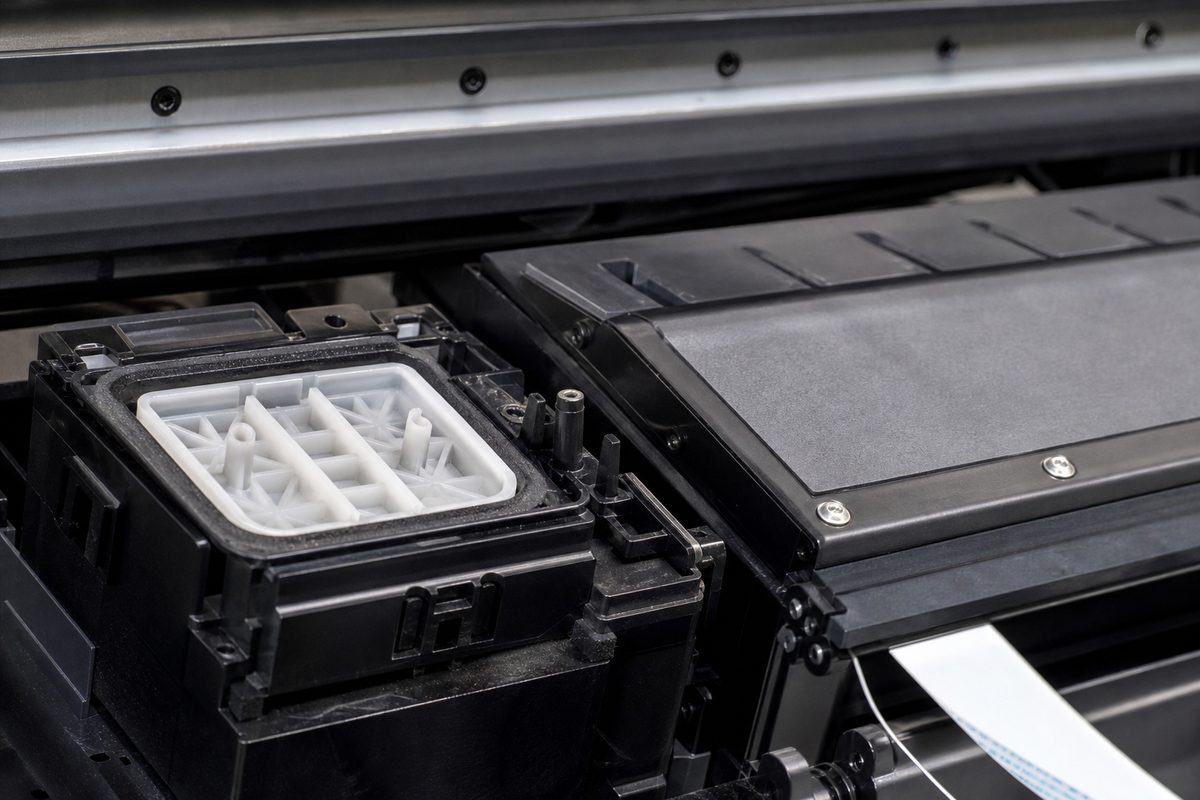
Keep caps and wipers clean
The capping station must seal evenly against the head face so ink stays wet at rest and suction during cleaning is consistent. If the cap top is swollen, hardened, dirty or misshapen, the head can dry out while parked and nozzle checks will show random missing jets after idle time.
The wiper should remove residue without smearing it back across the nozzle plate. A dirty or curled wiper can drag ink, dust and media fibres over the head face, which can show up as deflected nozzles, cross-colour contamination or repeated dropout after cleaning. Wipers and capping parts are consumables and should be replaced when worn.
Manage dampers and humidity
Dampers affect ink delivery stability. If a damper is air-filled, restricted or no longer regulating flow properly, the print may show intermittent banding, weak colour sections or channels that drop out during longer runs. Repeating cleaning cycles may give a short recovery, then the same faults return once printing continues.
Room conditions matter as much as service parts. Air that is too dry speeds up evaporation at the nozzle plate and makes clogging more likely, especially during light production periods. Stable humidity helps parked heads stay wet and reduces the need for aggressive cleaning that can stress the ink path.
Choose the right cleaning method
Use standard cleaning cycles for routine recovery, then confirm the result with another nozzle check. If the same nozzles keep failing, stop repeating cleans and inspect the maintenance station instead. Excess cleaning can overfill waste systems, consume ink and still leave a sealing, wiping or ink supply problem unresolved.
Manual cleaning should be careful and limited to the method specified for the machine, removing residue around the head face or cap area rather than scrubbing the nozzle plate. When the printer will stand idle, park the heads correctly on a clean cap so the nozzles do not dry out.
What our Large Format Printing customers say
Verified Google reviews
Nozzle and capping problems
Describe the nozzle issue, and mention wipers, caps or dampers already checked.