Printheads
Printhead types compared
Different printheads suit different printer builds and ink sets. The right match affects consistency, channel layout and production speed.
Common head families
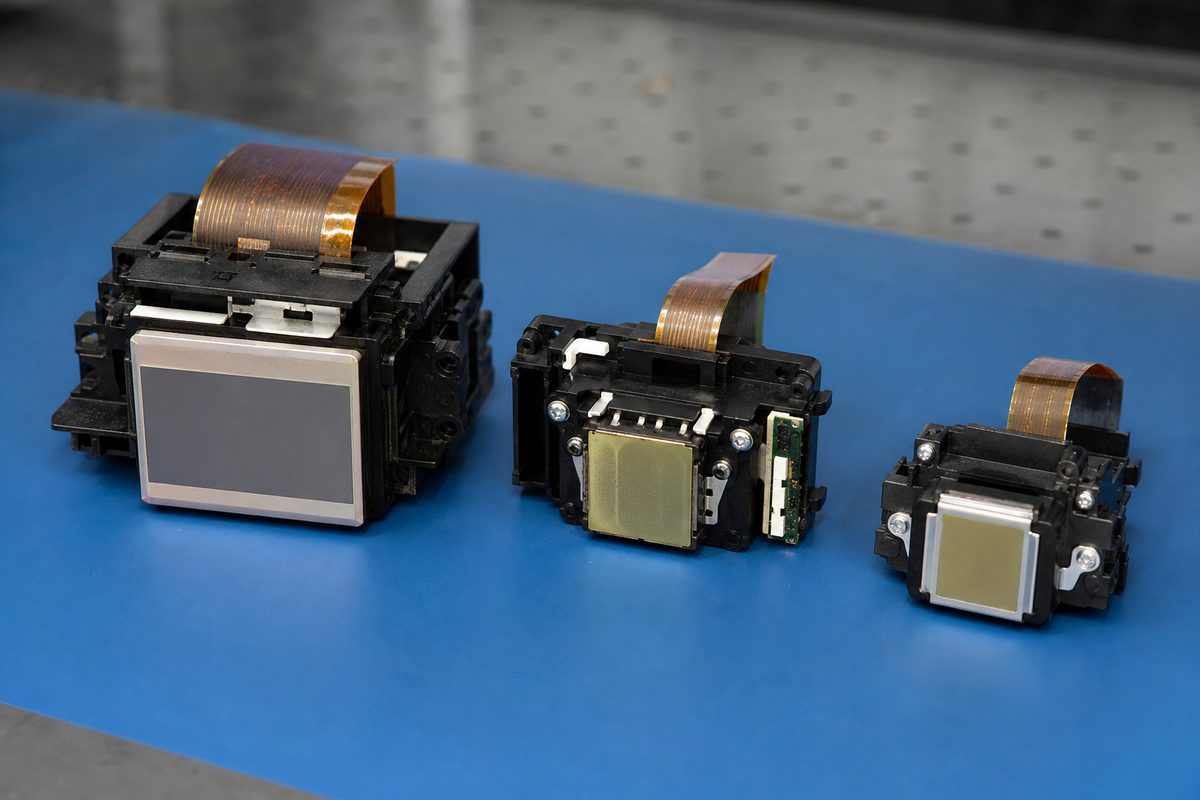
I1600 and I3200 heads are industrial Epson platforms used in current eco-solvent, UV and sublimation machines. They are chosen for production use where stable output and repeatable firing matter over long runs, not just occasional short jobs.
XP600, DX5 and DX7 are families found in entry-level or older machines. They can produce good work when the printer, ink and media profile are in order, but they call for more attention to duty cycle, parts support and consistency.
Match the ink chemistry
The head variant must match the ink chemistry. E1 is for eco-solvent, A1 is for water-based use such as sublimation, and U1 is for UV. This is not a small preference. It affects compatibility at the nozzle plate, internal materials and the way the ink is expected to behave.
A mismatch can show up as unstable firing, poor recovery after cleaning, blocked nozzles or shortened head life. When comparing printers, confirm the actual head chemistry version fitted, not only the head family name. Two machines may both say I3200, while using different ink-specific versions.
Epson industrial heads are suffixed by ink chemistry:
- E1 for eco-solvent
- A1 for water-based and sublimation
- U1 for UV inks
Head count and channel layout
The number of heads fitted changes more than top speed. Extra heads can be used to increase throughput by splitting CMYK across more channels, or to add dedicated white and varnish channels on UV configurations. That choice affects how the printer is built for the work you actually run.
A single-head layout may suit lower-volume CMYK output. Multi-head layouts make more sense where white ink density, layered UV work or faster production is required. When white or varnish is included, check how many channels are reserved for them, because that directly affects colour channel allocation and speed.
What to check first
Pick the ink set you need, then confirm the correct head chemistry version, then look at head count. After that, consider the type of work: long runs, fine text, white coverage, transfer paper or rigid UV output. This order avoids comparing head names without the printing context.
If you are narrowing down machines, compare nozzle checks, cleaning frequency, ink recirculation for white where relevant, and the availability of colour profiling for your media set.
What our Large Format Printing customers say
Verified Google reviews
Comparing head configurations
Speed, white channel and ink needs are the basis for comparing head configurations.