
RIP and colour
Routine colour checks
Routine colour checks catch drift before it reaches a full run. A quick nozzle check, a control strip and clear job notes keep reprints consistent.
Check the nozzles first
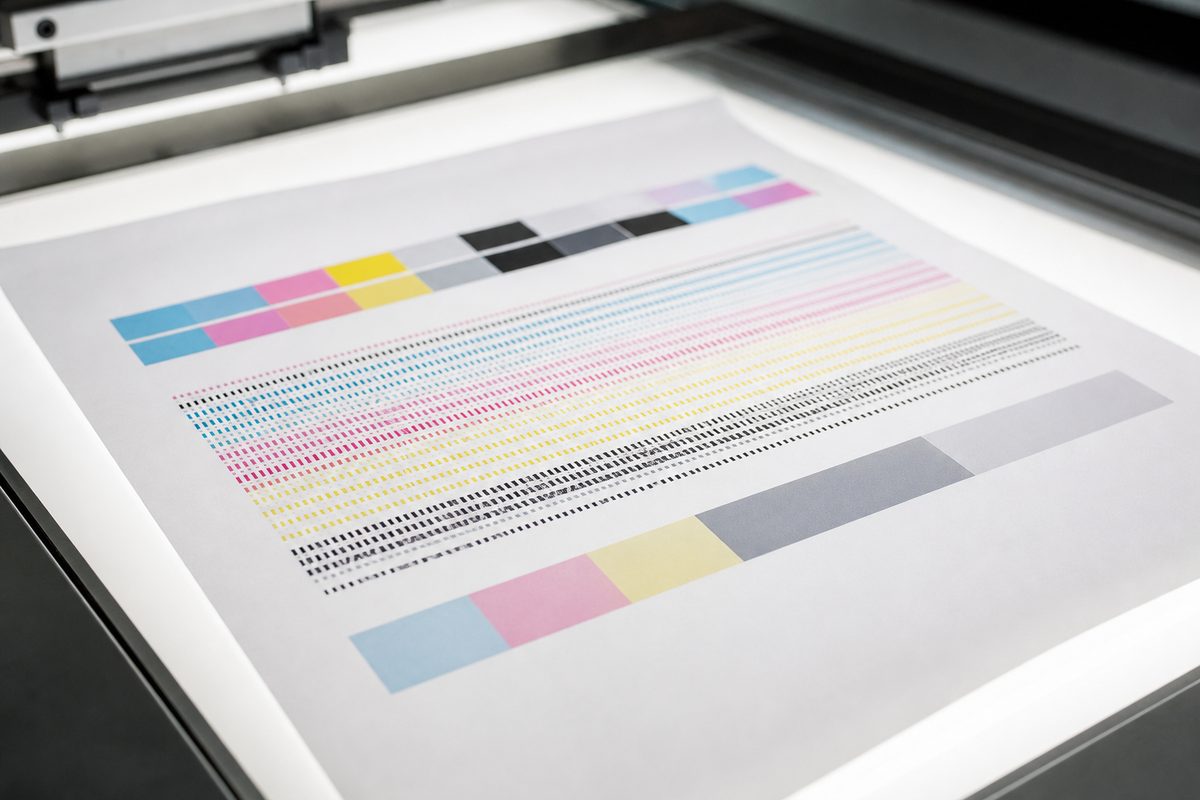
Run a nozzle check before any job where colour matters, especially after an idle period, a media change or a head clean. Missing nozzles show up first as weak solids, rough gradients or a colour cast that profiling cannot fix.
Do not judge output from the main artwork alone. A blocked channel can hide inside mixed colours until banding or dull patches appear across the job. Clear the issue first, then print the production file so the result reflects the actual printer state.
Use a small control strip
Print a small control strip at the start of the job using the same media, resolution, pass mode and heater settings as the production run. Include solids, neutrals and a short gradient so you can spot drift quickly without wasting material.
Keep the strip simple and repeatable. If a neutral starts leaning warm or cool, or a solid loses density, stop and check the nozzle pattern, preset and media loading. Small shifts are easier to correct before they spread through a long run.
A control strip is only comparable if it stays the same:
- Same preset as production
- Same media and ink set
- Neutrals, solids and gradient
- Dated and marked per job
Compare under consistent light
Hold the fresh control strip beside a known good reference print, in the same light.
Use one reference that was printed correctly and stored cleanly. Compare density, neutral balance and smoothness rather than relying on memory. If the new strip matches the reference, the printer, media preset and RIP settings are likely still in control.
Log settings for reprints
Record the settings used for each job so a reprint can be matched later. Note the media preset, profile, resolution, pass count, ink limits and any colour adjustments applied in the RIP. Without this, two prints from the same file can look different.
Keep notes with the control strip or reference print for that job. When a customer asks for a repeat, you can rebuild the same output conditions instead of guessing.
What our Large Format Printing customers say
Verified Google reviews
Keeping reprints consistent
Describe your current colour control routine and where reprints drift.